


Thumbtack: Hire Service Pros
4.915.30K Reviews
App Specs
- Version
- 446.0
- Updated On
- License
- Free
- Downloads
- 5,000,000+
- Developer
- Thumbtack
- Categories
- House & Home
- Platform
- Android, iOS
Screenshots
 Analysis by AppCompare
When something at home needs attention, finding the right person can feel like a job of its own. I found Thumbtack: Hire Service Pros most useful as a starting point: it brings local service searches, professional profiles, and direct conversations into one place. It is a free House & Home app from Thumbtack, and its focus is practical rather than flashy. The goal is to help you move from “I need someone for this” to a clearer shortlist of people you can contact.
Finding Your Way from a Need to a Hire
For a first-time user, the important thing to understand is that the app helps you discover and contact professionals; it does not make every hiring decision for you. You still need to describe the job, compare responses, ask the right questions, and agree on practical details. That balance is useful if you want choice, but it means the best results come from being specific rather than sending a vague request and hoping someone guesses what you mean.
What to Expect When You Open It
The first thing I noticed when I opened Thumbtack was its clean and user-friendly interface. Setting up an account was a breeze, taking just a couple of minutes. Once you're in, the app asks about your location and the type of services you’re looking for. From there, it's like having a personal assistant in your pocket. Need a plumber, a dog walker, or maybe a tutor? Just a few taps and you're sorted.
That quick start is helpful, but I would treat the first screen as the beginning of a search, not a guarantee that a suitable professional is already secured. The people you see and the responses you receive depend on what you ask for and who is available for that kind of work in your area. If your need is unusual, describe it plainly and be ready to compare a smaller set of options rather than assuming every request will produce a long list.
The app has a strong audience: someone who has a concrete task, wants to explore local options, and would rather compare professionals than call the first name they find. It can also help when you are planning ahead, such as looking for help with a home improvement project or design work. If you already have a trusted contractor or need emergency assistance immediately, contacting that person or a relevant local emergency service directly may be more appropriate than starting a new search.
Set Up the Request Before You Send It
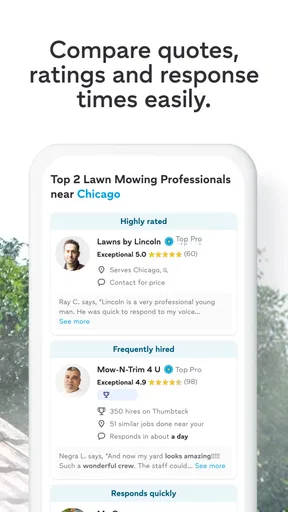
The browsing experience is super intuitive. You can search by service category or simply type what you need. I loved how the app provides a list of local professionals along with reviews and ratings. It’s almost like window shopping for services! When I needed a handyman to fix a leaky faucet, I just sent out a request and waited for quotes to roll in.
For a better first request, I recommend writing down the essentials before you start: what is not working, where the job is, what outcome you want, and any timing constraints that matter. For a plumbing issue, for example, “the kitchen faucet is leaking at the base” gives a professional more to work with than “need a plumber.” You do not need to turn the request into a technical report. A few clear details can reduce back-and-forth and help you judge whether a reply actually addresses your problem.
Worth Reading Before You Choose

Flipboard Shows What News Apps Must Do Beyond the Feed

Switching to Android Auto Means Rethinking Your Driving Routine

Google Calendar Makes a Crowded Week Easier to Manage

Ludo King Makes the Most of the Minutes Between Plans

Baby Panda World Brings Quick Play to Modern Phones, but Its Game Library Feels Busy

ESPN’s Live Game View Makes Following Close Games Easier
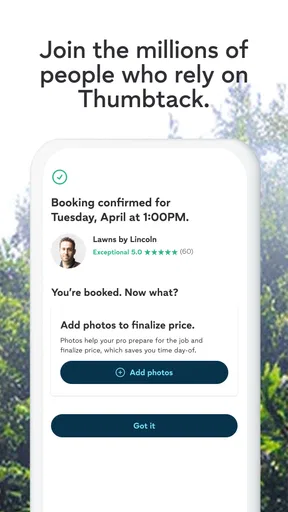
Photos can be useful in many home-service searches, but I would share them thoughtfully and only when the app’s request flow makes that option available. A picture of the affected area may clarify the scope; it should not include private documents, personal details, or anything unrelated to the work. If the issue could involve hidden damage, make that uncertainty clear instead of presenting a guess as a diagnosis.
Before sending a request, check that you have selected the right kind of service. A small repair, a full renovation, and a design consultation can involve different skills even when they concern the same room. Choosing the closest fit and describing the outcome you want makes the replies easier to compare. If you are uncertain which category applies, use the description to explain the task in ordinary words rather than forcing it into a label that does not quite fit.
How to Reach a Useful First Conversation
One feature I found particularly handy is the messaging system. It allows you to chat directly with professionals to discuss details before committing. It’s a great way to ensure you’re both on the same page, and it adds a personal touch to the whole experience.
A productive first message should do more than ask, “How much?” I would confirm whether the professional handles this type of job, ask what information they need to assess it, and clarify what the next step would be. For a repair, it is reasonable to ask whether the estimate depends on an in-person look. For design or larger home projects, ask how they would learn about your goals and what you should prepare for an initial discussion. These questions help distinguish a relevant reply from one that simply sounds confident.
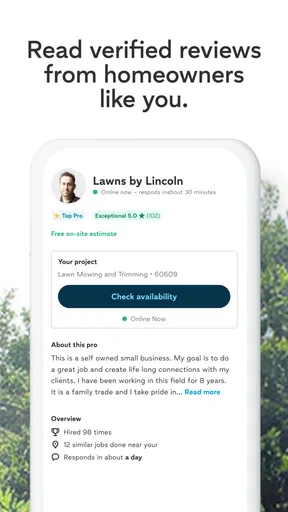
Reviews and ratings are useful signals, but I would read them as context rather than a promise. Look for comments that relate to the work you need and notice whether the reviewer describes communication, reliability, or the finished result. A high overall score can be reassuring, yet it cannot tell you by itself whether a particular professional is a good match for your schedule, budget, or project scope.
Here is a realistic way I would use the app: I notice a slow leak under a sink on a weekday evening. I take a moment to identify where the water appears, make the area safe, and write a concise request explaining the symptom and when it started. Once replies arrive, I ask whether each person handles that kind of repair, what details they need to give a useful estimate, and when they might be able to discuss the job. I compare the answers and agree on the next step directly, instead of treating the first response as an automatic booking.
Comparing Options Without Rushing
Thumbtack’s main advantage over a general web search is that it brings service discovery and professional conversations together. A search engine can produce more kinds of results, but it may leave you sorting through directories, business pages, and unrelated pages on your own. Asking friends or neighbors can be better when you want a personal recommendation from someone you trust. I see this app as a practical middle ground: it gives you a way to find and compare local options, while leaving the final judgment to you.
That comparison works best when you look beyond the first reply. Consider whether the professional understood the job, answered your questions clearly, and explained what they would need before making a commitment. If two people appear suitable, ask each the same basic questions so you are comparing like with like. A low initial figure is not automatically the best value if the scope is unclear; equally, a polished profile does not remove the need to agree on exactly what work is included.
For a routine job, the app may help you move faster than starting from a blank web search. For a complex remodel, I would use it to discover candidates, then spend more time checking that the conversation covers the project’s full scope. If the work involves several stages or decisions, write down what you have agreed in messages and confirm the details with the professional before work begins. The app can make introductions easier, but clear communication still does the heavy lifting.
Pricing, Payment, and Practical Details
Thumbtack doesn’t handle payments directly, which I found a bit surprising. Instead, you work out payment details with the service professional. While this might seem a bit old school, it actually gives you more flexibility to negotiate prices. Just be sure to discuss everything upfront to avoid any awkward money talks later.
I would go a step further and clarify what a quoted amount covers, whether it is an estimate or a firm price, and whether materials or additional work could change the total. The right questions depend on the job, but asking before agreeing is easier than resolving different expectations afterward. Keep the conversation straightforward: explain what you understand the price to include and invite the professional to correct anything that is not part of the plan.
Also agree on timing and access. For work inside your home, confirm when the person expects to arrive, which area they need to reach, and whether anyone should be present. For a project that may take more than one visit, discuss how you will handle scheduling changes. These are ordinary details, but they have a real effect on whether hiring feels smooth once the search is over.
The freedom to arrange payment directly is a trade-off, not an automatic advantage for everyone. It gives you and the professional room to settle the arrangement between yourselves, but it also means you should not assume the app is managing payment terms or resolving every disagreement. If you prefer a service where booking and payment are handled in a single in-app flow, a different option may suit you better. Whichever route you use, make sure the agreement is clear before the work starts.
Who Will Get the Most from It
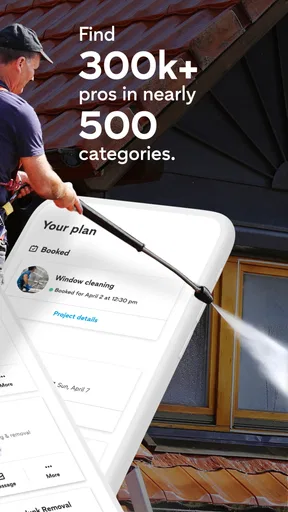
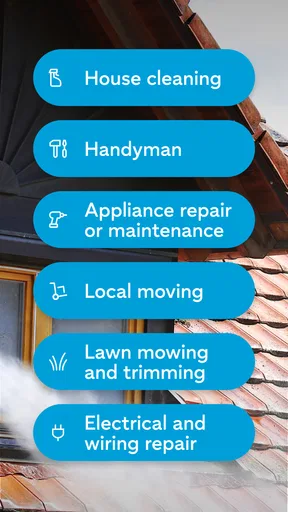
What really sets Thumbtack apart is the sheer variety of services available. Whether you're planning a wedding, remodeling your kitchen, or just need a haircut at home, there’s someone on Thumbtack who can help. It's like having a directory of local experts at your fingertips. Plus, the ability to see reviews and ratings helps you make informed decisions, ensuring you pick the right person for the job.
For homeowners and renters with a defined need, that range can make the app useful beyond urgent repairs. You might be comparing help for a home project, looking for a specialist for a particular task, or trying to find someone for a service you have not hired before. A new user does not need to know every industry term in advance; describing the desired result and asking professionals to clarify the scope can be a sensible way to begin.
It is less compelling if you only want general advice, are not ready to contact anyone, or have no intention of comparing candidates. It may also be the wrong starting point when you already have a dependable person for the job, when you need immediate help, or when your project requires a formal process that you would rather manage through an established provider. I would skip it for those situations rather than expecting one app to replace every way of finding help.
People often wonder whether they need to settle everything as soon as a professional replies. I would not. A reply is an opening for a conversation, not a reason to commit on the spot. Ask what you need to know, compare the responses, and proceed only when the scope and next step make sense to you. The app is most useful when it supports a considered choice rather than a rushed one.
What the App’s Track Record Tells Me
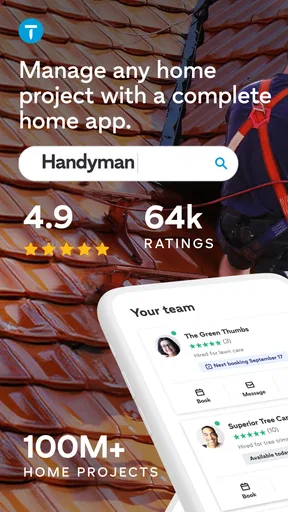
Thumbtack has an average rating of 4.8 from around 54,000 ratings, with about 14,000 written reviews and over 5 million installs. Those figures suggest that many people have tried it and that feedback is generally positive, but they do not guarantee that every search will produce the same experience. The quality of a match still depends on the request, the available professionals, and the care you take when choosing one.
It is free to download, rated for Everyone, and developed by Thumbtack. The app was released on March 13, 2017, and its current version is 405.1, with Android 9 as the minimum operating system. For a first-time user, the practical point is that you can try the search process without paying to install the app; any service arrangement still needs to be discussed with the professional you choose.
Another thing worth mentioning is how the app fosters a sense of community. You’re not just hiring someone to do a job; you’re supporting local professionals. It's a win-win situation!
My Take After Trying the Search Flow
All in all, I found Thumbtack: Hire Service Pros to be a fantastic tool for anyone looking to hire local professionals without the usual hassle. It’s efficient, user-friendly, and packed with options. While the app doesn’t handle payments, this minor inconvenience is easily outweighed by the convenience it offers. If you’re tired of sifting through endless search results and want a streamlined experience, give Thumbtack a try. You might just find your new go-to app for all things service-related!
My clearest advice is to arrive with a specific task, write a useful description, and treat messages as a chance to evaluate fit rather than simply collect prices. That approach makes the first meaningful step less intimidating: you can start with one need, ask a few practical questions, and decide whether the responses deserve your time. When that is what you want, this is a convenient place to begin looking for help around the home.
Pros
- Wide range of services available.
- User-friendly interface for easy navigation.
- Instant quotes from local professionals.
- In-app messaging with service providers.
- Secure payment options integrated.
Cons
- Service availability varies by location.
- Occasional delays in provider response.
- Limited customer support options.
- Potential for higher service costs.
- App notifications can be overwhelming.
FAQs for Thumbtack: Hire Service Pros
What services can I find on Thumbtack?
Thumbtack offers a wide range of services, including home improvement, event planning, personal training, tutoring, and more. Users can easily browse categories such as plumbing, photography, and wedding planning to find professionals who meet their specific needs. The app connects users with local experts to facilitate quick and reliable service.
How does Thumbtack ensure the quality of service providers?
Thumbtack implements a thorough vetting process for service providers, including background checks and reviews from previous clients. Users can view ratings, read detailed reviews, and compare quotes from different professionals. This transparency helps ensure that users select high-quality service providers who are reliable and trustworthy.
Is Thumbtack free to use for customers?
Yes, Thumbtack is free for customers to use. Users can browse services, read reviews, and request quotes without any cost. However, once you hire a professional, the fees for the services provided are negotiated directly between you and the service provider, so costs will vary based on the service.
How do I contact a service provider on Thumbtack?
Once you find a service provider that interests you, you can contact them directly through the app. Thumbtack provides a messaging feature that allows users to discuss details, ask questions, and negotiate terms with the service provider. This ensures clear communication and helps in making informed decisions.
Can I cancel a service request on Thumbtack?
Yes, you can cancel a service request on Thumbtack. If you've already hired a professional, it's courteous to inform them as soon as possible. Depending on the provider's cancellation policy, there may be fees involved, so it's important to review those terms before confirming any service.


